Reinforce your low code approach with clear splits per role and supported by the project composition.
Bonita 2021.2 is out and available to download!
What’s new and what’s special about Bonita 2021.2? Here are a few highlights!
- We’ve further separated the technical, coded parts of automation projects from the visual programming provided to citizen developers and non-developer members of the automation project team. (see Project Composition, SDKs for Developers, Project Overview, and Unified Expression Editor, below).
- You get a complete set of customizable Bonita user applications, specific to the different types of end users (specify roles here) of Bonita, in application form, so there is no longer need for the Bonita Portal. (see A better, unified user experience for all types of Bonita users, below).
- SSO for different types of user access is supported with OpenID and full containerization is supported by Bonita Cloud. (See Reinforced Bonita Enterprise integration and deployment, below).
“Project composition” - better IT governance, easier non-IT utilization, simpler extension upgrade.
Assure good governance of your IT system! Professional developers can create all the technical extensions needed for Bonita projects externally, which keeps the low-code foundation pristine for business and citizen developers.
Professional developers can now create robust, re-usable and state-of-the-art project extensions that perfectly integrate with your specific information systems, and share them through repositories. Business collaborators can then easily integrate these extensions into their automation projects, using the new Project Composition feature, without needing to touch the underlying technical construction.
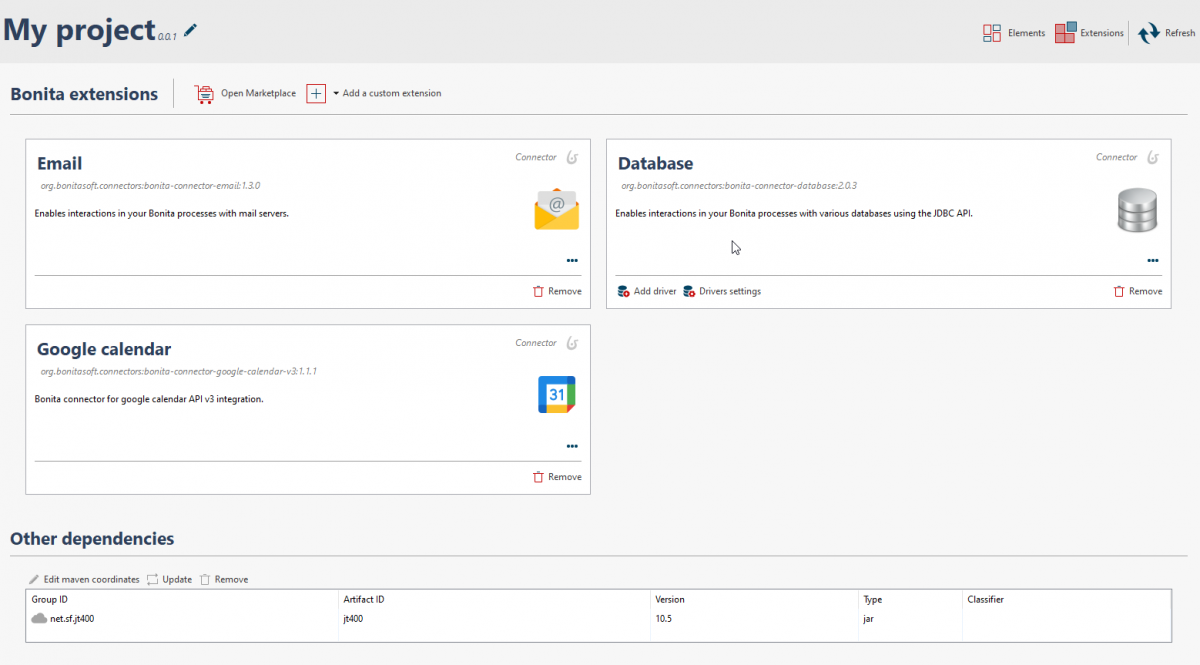
The separation of extensions from Bonita Studio means that updating Bonita will no longer force you to migrate connectors. Conversely, you can also upgrade your extensions without having to update Bonita Studio.
Improved Software Development Kits for professional developers
We’ve improved the SDK that Bonita provides (REST API extensions, connectors, actor filters, and themes) for updated dependencies versioning and runtime business data integration.
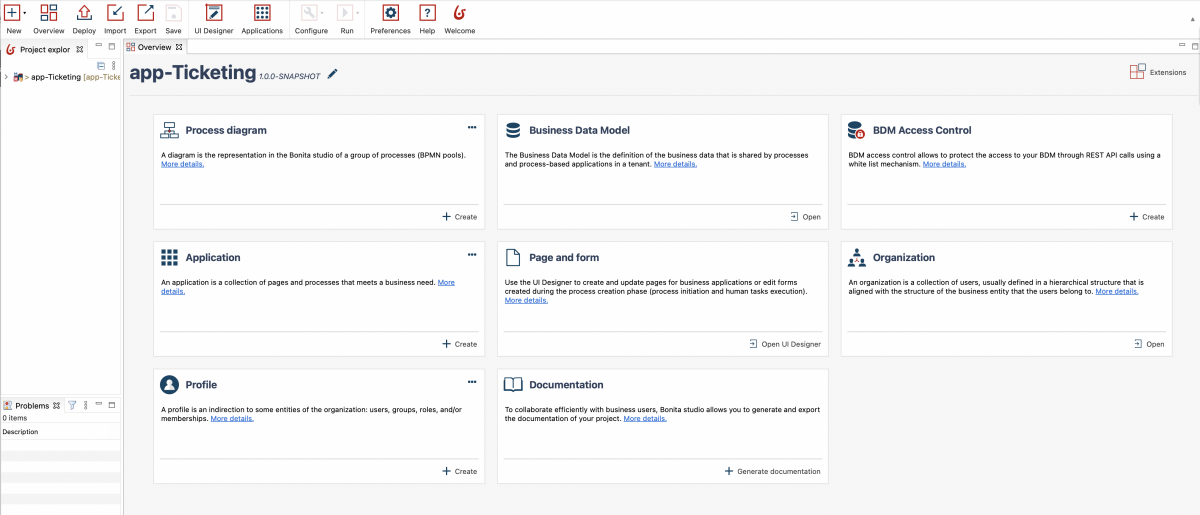
Project overview for citizen developers
There is a clearer presentation of the elements of a Bonita automation project, which is especially helpful for both business/non-technical users and developers: what is the purpose of each element, and how to create it.
Unified expression editor to smoothly build business rules
Bonita 2021.2 offers a single, easy way to build business rules, which accelerates user ramp up.
A better, unified user experience for all types of Bonita users
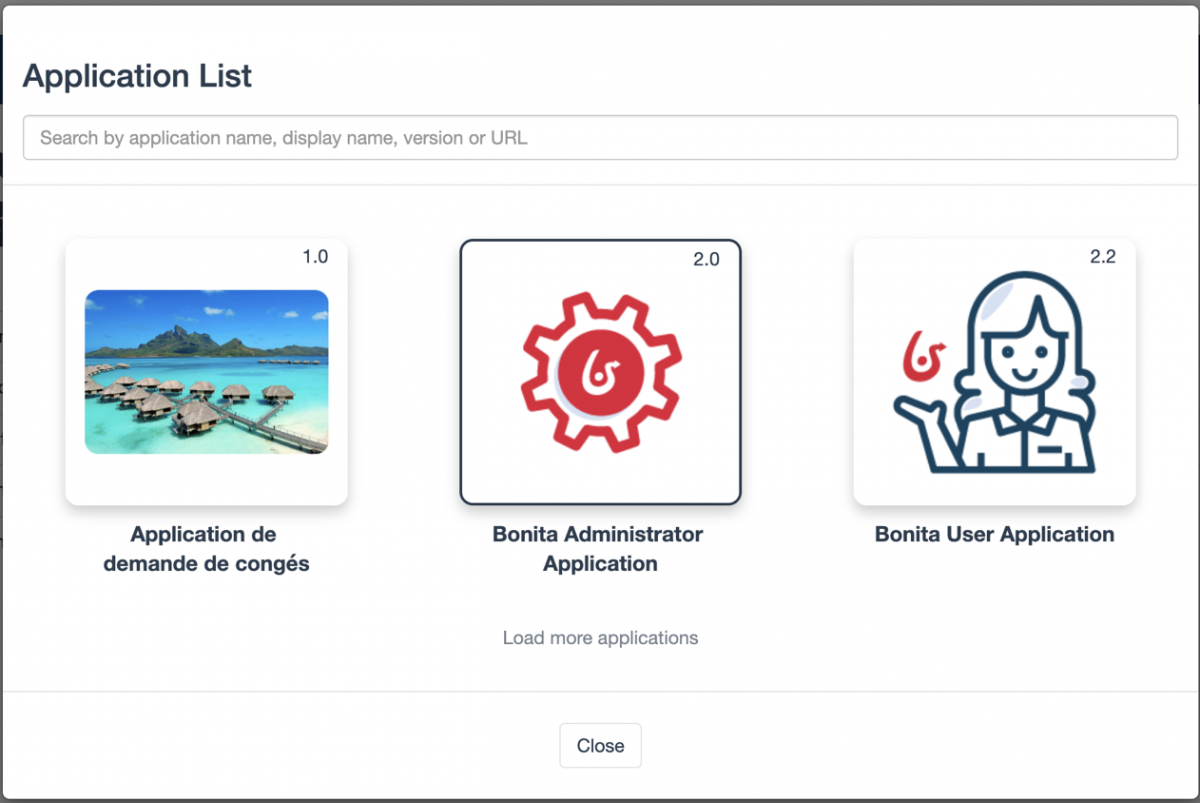
Bonita 2021.2 offers a set of customizable Bonita user interfaces specifically for the different types of end users of Bonita: internal application users like employees; external application users like customers; process and applications administrators; and platform administrators:
- The Bonita Applications Directory, which shows the list of all the Bonita applications a logged-in user can access and use.
- The Bonita User Application, accelerates development with a starting point for customized interfaces for any type of end user.
- The Bonita Administrator Application with all the resources that process and applications administrators need to manage deployed applications.
- A Super Administrator application, with all the resources platform administrators need to manage the Bonita platform.
The last 2 administrator apps replace the Bonita Portal. These are all fully extensible apps, so you can re-compose them, change pages, extend UI elements, whatever you need to do to make them fit your users’ needs.
Reinforced Bonita Enterprise integration and deployment, more secure IT risk management
Bonita Platform authentication is fully compatible with OpenID Connect protocol. OpenID Connect allows clients of all types, including Web-based, mobile, and JavaScript clients, to request and receive information about authenticated sessions and end-users. The specification suite is extensible, so participants can use optional features such as identity data encryption, finding OpenID providers, and session management when they need to.
Bonita Runtime platform and its dependencies can be deployed automatically through full containerisation (Docker) and orchestration (Kubernetes) supported by Bonita Cloud, to ensure an optimal quality of service with:
- Guaranteed uptime
- Guaranteed performance (through elasticity)
- Optimize cost (again, through elasticity)
For a full list of changes and updates to Bonita 2021.2, see the Release Notes.
And remember that the Bonita Community is a great source for technical details on Bonita platform features and capabilities.
Planifiez une démo personnalisée et découvrez comment Ofelia peut transformer votre infrastructure IA.